
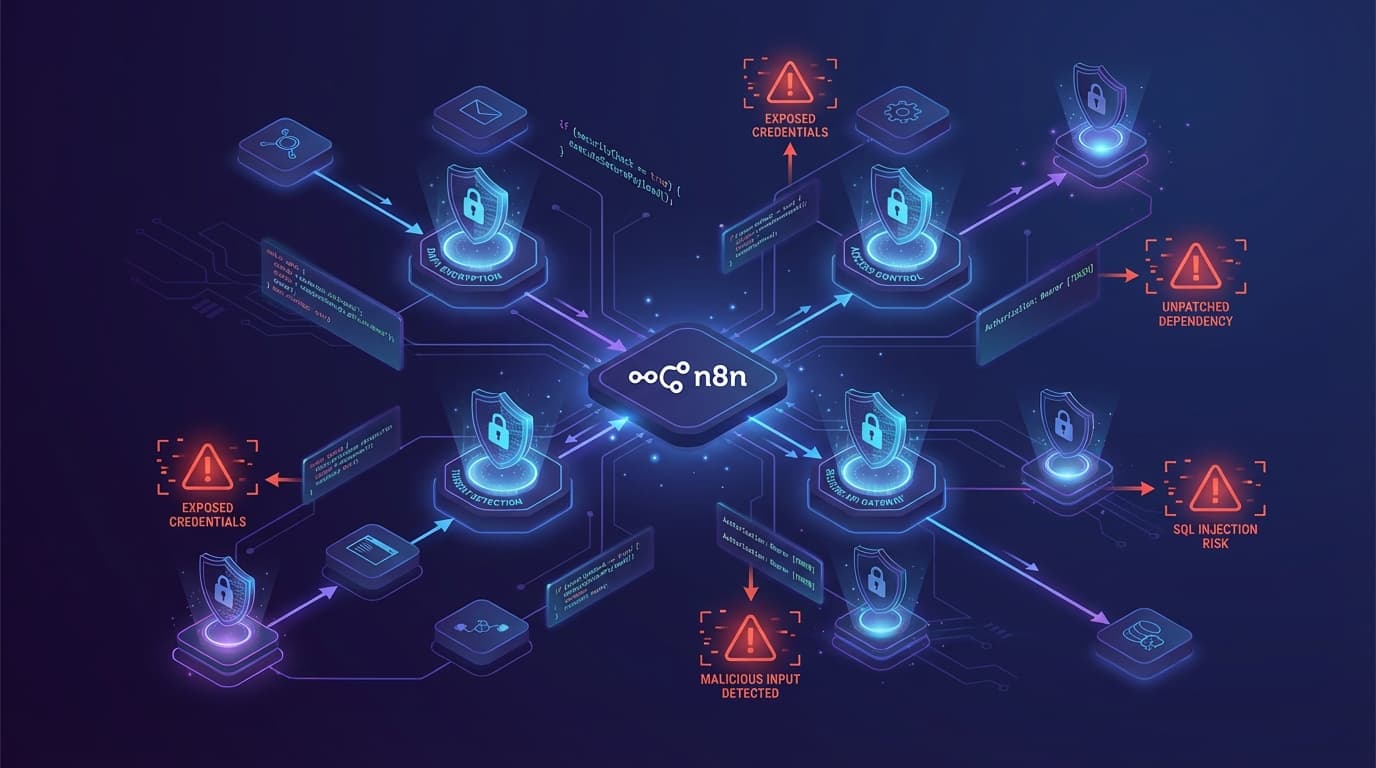
In the span of just a few months, the n8n community experienced something of a security reckoning. Between late 2025 and early 2026, security researchers disclosed a series of critical vulnerabilities that left tens of thousands of n8n instances exposed to complete compromise. The most severe of these, a CVSS 10.0 unauthenticated remote code execution flaw, required no credentials whatsoever - attackers could read files, bypass authentication, and execute arbitrary commands on any vulnerable server they could reach.
This wasn't a theoretical exercise. Scans revealed over 100,000 potentially vulnerable instances on the public internet, and weeks after patches were released, the majority remained unpatched. For many organizations, n8n had become critical infrastructure without anyone treating it as such.
The vulnerabilities themselves have been fixed. But they exposed something more fundamental: n8n's greatest strengths - its flexibility, extensibility, and self-hostability - are precisely what make it a high-value target. Workflow automation platforms sit at the center of an organization's digital operations, holding credentials for CRMs, databases, payment processors, and communication tools. A compromised n8n instance isn't just a security incident; it's a potential gateway to everything that instance connects to.
This guide is a practical response to that reality. It covers the major security risks in n8n workflows and provides actionable steps to address them - not theoretical best practices, but specific configurations, settings, and operational habits that meaningfully reduce risk. Whether you're running a small self-hosted instance or managing n8n across an enterprise, the goal is the same: understand what can go wrong and know how to prevent it.
Part 1: Understanding the Threat Landscape
The Vulnerabilities That Changed Everything
To understand why n8n security matters now more than ever, it helps to examine what went wrong.
The vulnerability that caused the most alarm was CVE-2026-21858, nicknamed "Ni8mare" by the researchers who discovered it. This was a CVSS 10.0 flaw - the maximum severity rating - and it earned that score. The vulnerability existed in how n8n handled certain webhook and form submissions. Through a carefully crafted request, an attacker could read arbitrary files from the server, bypass authentication entirely, and execute commands with the same privileges as the n8n process. No login required. No credentials needed. If your n8n instance was reachable and running an affected version, it was vulnerable.
The attack worked because of improper input validation in the Form Submission trigger. When a workflow included a Form Ending node that returned a binary file, attackers could manipulate the request to access files outside the intended scope. From there, they could extract configuration files, read the n8n database, and ultimately achieve full server compromise. The fix arrived in version 1.121.0, but by the time many organizations became aware of the issue, attackers had already begun scanning for vulnerable instances.
A second major vulnerability, CVE-2025-68668 (known as "N8scape"), took a different approach. This one required authentication - you needed to be a legitimate n8n user - but any user with permission to create or modify workflows could exploit it. The flaw existed in n8n's Python Code node, which allows users to write custom Python scripts within their workflows. To prevent these scripts from doing anything dangerous, n8n implemented a sandbox that blocked imports, restricted built-in functions, and performed AST-level validation of the code.
The problem is that sandboxing dynamic languages is extraordinarily difficult. Researchers at Cyera found that by combining Python's string formatting capabilities with exception handling tricks introduced in Python 3.10, they could recover references to restricted objects and ultimately execute arbitrary operating system commands. The sandbox looked at the code and saw nothing obviously dangerous; the danger emerged from how that code behaved at runtime.
Similar issues affected the JavaScript Code node. JFrog researchers discovered that n8n's sandbox didn't properly handle the deprecated with statement, allowing attackers to manipulate identifier resolution and access the Function constructor - from which they could execute any code they wanted.
Two additional vulnerabilities rounded out this difficult period. CVE-2025-68613 involved expression injection in n8n's workflow system, and CVE-2026-21877 allowed remote code execution through unrestricted file uploads. Each was fixed promptly by the n8n team, but each also demonstrated how the platform's flexibility creates attack surface.
The sobering reality is that these weren't theoretical vulnerabilities found in lab conditions. Researchers scanning the internet found that tens of thousands of vulnerable instances were publicly accessible. Weeks after patches were available, the majority remained unpatched. The patching rate for Ni8mare dropped from 60,000 exposed instances to only 39,900 over the course of a month - a concerningly slow response.
Why n8n Is a High-Value Target
Understanding these specific vulnerabilities is important, but it's equally important to understand why workflow automation platforms attract attackers in the first place.
An n8n instance typically holds credentials for numerous external services. Think about what a typical deployment connects to: email services, CRM platforms, databases, payment processors, cloud storage, messaging apps, project management tools. Each of these connections requires credentials - API keys, OAuth tokens, database passwords - and all of those credentials are stored in n8n's database. Compromise the n8n instance, and you've potentially gained access to every service it connects to.
This makes n8n an attractive target for lateral movement. An attacker who breaches an organization through some other vector might find an internal n8n instance and realize it's a treasure trove of credentials and access tokens. Even if the n8n instance itself isn't valuable, what it connects to certainly is.
The self-hosted nature of most n8n deployments compounds the problem. When you use a SaaS platform, the vendor handles security patches - you get updates whether you want them or not. With self-hosted n8n, patching is entirely your responsibility. Many organizations deploy n8n to solve a specific automation problem, get it working, and then move on to other priorities. The instance keeps running, but nobody's watching the release notes or applying updates. Months or years later, that forgotten instance is running a version with known, exploitable vulnerabilities.
There's also the question of exposure. n8n's webhooks need to be reachable by external services, which often means the instance has some level of internet accessibility. If the network architecture isn't carefully designed, that webhook exposure can become a foothold for attackers to discover and probe the entire application.
Part 2: Workflow-Level Security Risks
The Code Node Problem
The Code node is one of n8n's most powerful features. It allows users to write custom JavaScript or Python directly within their workflows, enabling transformations, calculations, and integrations that would be impossible with standard nodes alone. It's also, from a security perspective, one of the most dangerous features.
The fundamental challenge is that the Code node executes arbitrary code provided by users. Before version 2.0, this code ran in the same process as n8n itself, separated only by a software sandbox. If that sandbox could be bypassed - and as we've seen, it repeatedly was - the attacker gained the full privileges of the n8n process. They could read and write files, access environment variables, make network connections, and interact with any resource n8n could reach.
The sandbox escape research from JFrog and others revealed a structural problem with blocklist-based sandboxing. The approach works by identifying dangerous operations and blocking them: don't allow imports of the os module, don't allow access to eval, don't allow certain built-in functions. But dynamic languages like JavaScript and Python are extraordinarily flexible. There are countless ways to accomplish the same operation, and researchers kept finding paths the blocklist didn't anticipate.
In JavaScript, the deprecated with statement allowed attackers to manipulate how variable names were resolved, ultimately gaining access to the Function constructor. In Python, string formatting combined with exception handling allowed recovery of restricted objects. Each bypass was clever in its own way, but the pattern was clear: static analysis of code couldn't reliably predict what that code would do at runtime.
The solution introduced in n8n 2.0 is architectural rather than incremental. External task runners move Code node execution out of the main n8n process entirely. Instead of running user code in the same process with a sandbox, n8n launches a separate container to handle execution. This container is built on a minimal Wolfi-based image with no shell, no package manager, and no unnecessary tools. The code runs, produces its output, and the container is recycled.
This approach implements what security professionals call "blast radius containment." If an attacker manages to escape the sandbox within the runner, they find themselves in a stripped-down container with limited options for further exploitation. The main n8n process, with its credentials and configuration, remains isolated. The runner communicates with n8n over HTTP - there's no shared memory, no direct process access.
For production deployments, enabling external task runners is no longer optional. It's the baseline expectation for secure operation.
Webhook Exposure
Webhooks are how n8n receives data from the outside world. They're essential for integrations with services that push data rather than allowing it to be pulled, and they enable real-time workflows that respond to external events. They're also, if improperly configured, an open door into your automation infrastructure.
By default, an n8n webhook is simply a URL that triggers a workflow when accessed. There's no authentication, no validation - anyone who knows the URL can send a request, and that request will be processed. This is convenient for getting started quickly, but it's dangerous in production.
The risks depend on what the webhook-triggered workflow does. If it simply logs incoming data, unauthorized access is annoying but not catastrophic. If it processes payments, modifies database records, or triggers actions in external systems, unauthorized access becomes a serious problem. Attackers who discover an unprotected webhook can trigger workflows at will, potentially causing financial damage, data corruption, or service disruption.
Webhook URLs leak more often than you might expect. They end up hardcoded in client-side JavaScript, included in email templates, documented in public wikis, or committed to version control. Once a URL is exposed, the only remediation is to regenerate it - which breaks every legitimate integration using that URL and requires coordinating changes across multiple systems.
Protecting webhooks requires authentication. The simplest approach is requiring an API key in a header or query parameter; the webhook workflow checks for the key before processing the request. More sophisticated approaches include HMAC signature verification, where the sender signs the request payload and the receiver validates the signature. For webhooks that only need to receive requests from known sources, IP allowlisting provides another layer of protection.
Beyond authentication, webhook security requires operational discipline. Treat webhook URLs like passwords: store them in secrets management systems, rotate them periodically, and monitor for unusual access patterns. Log request metadata - source IPs, timestamps, payload sizes - so you have the information needed to investigate if something goes wrong.
Community Nodes and Supply Chain Risks
In early 2026, security researchers discovered something troubling: malicious npm packages disguised as n8n community nodes had been downloaded thousands of times. These packages looked like legitimate automation tools but contained code that stole OAuth tokens from the n8n instances where they were installed.
Community nodes are one of n8n's strengths. They allow the community to build and share integrations that the n8n team hasn't created, extending the platform's capabilities far beyond what any single vendor could provide. But they also represent a significant supply chain risk.
When you install a community node, you're running code written by someone outside your organization, with access to everything n8n can access. Community nodes aren't sandboxed - they run with the full privileges of the n8n process. They can read credentials, access environment variables, make network connections, and execute arbitrary code. If a community node is malicious, or if a legitimate node is compromised through a supply chain attack, the consequences can be severe.
The n8n team has documented these risks clearly, but mitigating them requires active effort. Before installing any community node, investigate the publisher. Look at their npm profile, check their GitHub activity, see if they're known in the n8n community. Review the source code if possible - or at least skim it for obvious red flags like obfuscated code or unexpected network connections.
After installing a community node, monitor your instance for unusual behavior: unexpected network traffic, changes to credentials, workflows running at unexpected times. If you're operating in a high-security environment, consider disabling community nodes entirely by setting N8N_COMMUNITY_PACKAGES_ENABLED=false. This eliminates the risk but also eliminates the functionality - it's a trade-off each organization must evaluate for itself.
Part 3: Infrastructure Hardening
The Non-Negotiable: Encryption Keys
If there's one configuration mistake that affects more n8n deployments than any other, it's failing to set a persistent encryption key.
n8n encrypts credentials before storing them in its database. This is good security practice - even if an attacker accesses the database, they can't read the credentials without the encryption key. The problem is how n8n handles that key by default.
When n8n starts without an explicitly configured encryption key, it generates one automatically. This seems convenient, but it creates a subtle trap. The generated key exists only in memory. When the instance restarts - whether for an update, a server reboot, or a crash - a new key is generated. Suddenly, all the credentials encrypted with the old key become unreadable. Users often respond to this by re-entering their credentials, not realizing they've just lost the ability to decrypt their existing data and created a fragile configuration that will break again on the next restart.
The solution is straightforward: set the N8N_ENCRYPTION_KEY environment variable to a persistent, randomly generated value. Generate a strong key (at least 32 characters of random data), store it securely outside of n8n's database, and ensure it's available every time n8n starts. Treat this key like a master password - if it's lost, all encrypted credentials are lost with it.
For existing deployments that have been running without a persistent key, the situation is more complex. You'll need to export your credentials, set the encryption key, and re-import them. It's worth the effort to get this right once rather than dealing with repeated credential loss.
Network Architecture
n8n should never be directly exposed to the internet without careful consideration of what that exposure means.
The minimum expectation is HTTPS. Running n8n over plain HTTP means credentials, session tokens, and workflow data travel across the network unencrypted. Even on internal networks, this creates unnecessary risk - network traffic can be intercepted, and internal networks are rarely as secure as organizations assume. Configure a reverse proxy (Nginx, Traefik, and Caddy are all solid choices) to handle TLS termination and redirect all HTTP traffic to HTTPS.
Beyond encryption, think carefully about what needs to be accessible from where. The n8n editor interface - where users design workflows and manage credentials - should not be accessible from the public internet. Place it behind a VPN, restrict access to specific IP ranges, or use a zero-trust access solution. Only users who need to design and manage workflows should be able to reach the editor.
Webhooks present a different challenge because they need to receive requests from external services. If you're receiving webhooks from Stripe, GitHub, or other SaaS platforms, those requests need to reach your n8n instance. The key is to separate webhook traffic from editor traffic. Use a different domain or path for webhooks, configure your firewall to allow webhook traffic only to those specific endpoints, and keep the admin interface completely isolated.
Network segmentation extends beyond the n8n instance itself. The database that stores n8n's data should be on an internal network, not accessible from the internet. Any services that n8n connects to should be reachable only through controlled paths, not through broad network access that would allow a compromised n8n instance to reach anything on your network.
Task Runner Configuration
We discussed the security benefits of external task runners earlier. Here's how to actually configure them.
In a Docker Compose deployment, external task runners run as a sidecar container alongside your main n8n container. The runner container uses the n8nio/runners image, which contains the launcher application and the JavaScript and Python runtime environments. The n8n container and runner container communicate over HTTP, with the runner registered through a broker mechanism.
The essential environment variables are N8N_RUNNERS_ENABLED=true to enable the task runner feature and N8N_RUNNERS_MODE=external to use external containers rather than child processes. You'll also need to configure broker authentication to ensure only legitimate runners can connect to your n8n instance.
The runner container is deliberately minimal. It's based on Wolfi, a security-focused Linux distribution designed for containers. There's no shell, no package manager, no development tools - nothing an attacker could use for further exploitation if they somehow escaped the sandbox. The container processes code execution requests and returns results; it has no other capabilities.
For deployments using queue mode with multiple workers, each worker needs its own sidecar runner container. The main instance also needs a runner container if it handles manual executions. Plan your container architecture accordingly.
Authentication and Access Control
Authentication is your first line of defense against unauthorized access. n8n supports multiple authentication mechanisms, and choosing the right one depends on your organizational context.
For small deployments, email and password authentication may be sufficient, but only if combined with two-factor authentication. Enable 2FA for all users, not just administrators, and make it mandatory rather than optional. The few seconds of friction during login are trivial compared to the consequences of credential compromise.
For organizations, single sign-on integration is strongly recommended. SAML and LDAP support allow n8n to use your existing identity provider, which means users authenticate with the same credentials they use elsewhere, access can be revoked centrally when someone leaves the organization, and authentication policies (password complexity, session length, conditional access) apply consistently.
Role-based access control determines what authenticated users can do. Not everyone who needs to view workflow execution results needs the ability to create new workflows or manage credentials. Define roles based on actual job functions and assign users the minimum privileges necessary for their work. Review access regularly - people change roles, leave organizations, or no longer need the access they once required.
Part 4: Credential Management
The Credential Lifecycle
Credentials are the keys to everything your workflows access. Managing them well requires thinking about their entire lifecycle: creation, usage, rotation, and eventual revocation.
A common pattern in n8n deployments is creating a single set of "global" credentials for each service and using those credentials across multiple workflows. This is convenient - you only need to configure the Slack connection once, and every workflow can use it - but it creates problems. If those credentials are compromised or need rotation, every workflow using them is affected. If you want to audit which workflows accessed a particular service, you can't distinguish between them because they all use the same credentials.
A more secure approach is creating credentials with limited scope. Instead of one Slack credential used everywhere, create credentials for specific purposes: one for the marketing automation workflows, another for the engineering alerts, a third for the customer support integrations. This limits the blast radius of any single compromise and makes auditing more meaningful.
Credential rotation is essential but often neglected. API keys and tokens should be rotated regularly - monthly for sensitive services, quarterly for less critical ones. Plan rotations in advance: create the new credential, update the workflows to use it, verify everything works, then revoke the old credential. Don't wait until a credential is compromised to discover that rotating it breaks everything.
External Secrets Integration
For organizations with existing secrets management infrastructure, n8n's external secrets feature represents the gold standard for credential handling.
Instead of storing credentials in n8n's database, external secrets integration fetches credentials from an external provider - AWS Secrets Manager, HashiCorp Vault, Azure Key Vault, or Infisical - only when a workflow needs them. The credentials never persist in n8n's database, so a database compromise doesn't expose them. Rotation happens in the secrets manager, and n8n automatically picks up the new values.
Configuring external secrets requires setting up a service account with appropriate permissions. Follow the principle of least privilege: the account n8n uses should have access only to the specific secrets it needs, not to your entire secrets store. If n8n only needs credentials for Stripe and Slack, those are the only secrets it should be able to read.
The operational overhead of external secrets is higher than storing credentials directly in n8n, but for organizations handling sensitive data or operating in regulated industries, that overhead is justified by the security benefits.
Part 5: Monitoring and Incident Response
What to Monitor
n8n provides execution logging that tracks workflow runs, but effective monitoring requires going beyond the defaults.
At minimum, track when workflows execute, whether they succeed or fail, and how long they take. Establish baselines for normal behavior so you can recognize anomalies. A workflow that usually runs in two seconds but suddenly takes thirty seconds might be experiencing performance issues - or it might be exfiltrating data. A workflow that runs every hour suddenly running every minute might indicate a configuration change - or an attacker triggering it repeatedly.
For webhooks, log request metadata: source IP addresses, request headers, timestamps, and payload sizes. If a webhook starts receiving requests from unexpected IP ranges or with unusual headers, that's worth investigating. If payload sizes suddenly increase by orders of magnitude, something has changed.
Integrate n8n's logs with your existing monitoring infrastructure. Whether you use ELK, Prometheus, Datadog, or another platform, sending n8n logs to a central location enables correlation with other system events and ensures logs are preserved even if the n8n instance is compromised.
Preparing for Incidents
Hope for the best, but prepare for the worst. Know what you'll do if your n8n instance is compromised.
The immediate concern is credential exposure. Assume that every credential stored in n8n has been accessed by the attacker. Begin rotating credentials for all connected services immediately - don't wait to confirm whether they were actually accessed. Audit connected systems for unauthorized activity: unexpected logins, data access, configuration changes, or new accounts.
Webhook URLs should be regenerated. If attackers have the URLs, they can continue triggering workflows even after you've patched the original vulnerability. Yes, this breaks legitimate integrations and requires coordinating changes with external services, but it's necessary to restore security.
Preserve evidence before making changes. Capture logs, database contents, and system state so you can investigate how the compromise occurred and whether it's part of a broader attack. Incident response and forensics require the evidence you might destroy by immediately fixing the problem.
Regular backups are essential for recovery, but backups are useless if you've never tested restoring from them. Periodically verify that you can restore n8n from backup to a working state. Know how long recovery takes so you can set realistic expectations during an actual incident.
Part 6: Version Management
The Update Imperative
The vulnerabilities discussed in this guide were all patched by the n8n team, most within days of being reported. The patches are available. The documentation explains what's fixed. And yet, weeks after patches were released, the majority of vulnerable instances remained unpatched.
This isn't unique to n8n - it's a pattern across the software industry - but it's worth confronting directly. Security patches only protect you if you apply them. Running outdated software with known vulnerabilities isn't a theoretical risk; it's an active invitation to anyone who cares to look.
The practical challenges of updates are real. Breaking changes between versions require testing. Production workflows need to keep running. Multiple teams may depend on the same instance. Coordination takes time. But these challenges don't justify running vulnerable software indefinitely. They justify having a process for managing updates efficiently.
A Practical Update Strategy
Stay informed about what's being released. Subscribe to n8n's release notes and security advisories. When a security fix is released, treat it as urgent - not something to address "when we have time." Schedule a maintenance window, test the update, and deploy it. This is exactly the kind of operational discipline that separates organizations that get compromised from those that don't.
Maintain a staging environment that mirrors production. Before updating your production instance, deploy the new version to staging and verify that critical workflows function correctly. Run automated tests if you have them; run manual tests if you don't. Catch breaking changes before they affect operations.
Use n8n's migration report feature, introduced in recent versions. This tool identifies potential issues with your workflows before they become problems, highlighting deprecated nodes, changed behaviors, and other concerns. It won't catch everything, but it significantly reduces the risk of surprises.
Part 7: Cloud vs. Self-Hosted Considerations
Understanding the Trade-offs
n8n offers both a managed cloud service and the ability to self-host. From a security perspective, each approach involves different trade-offs.
n8n Cloud provides managed infrastructure with automatic updates, encryption at rest, network security, and operational monitoring handled by the n8n team. For organizations without dedicated security resources, this shifts significant responsibility to people who specialize in keeping n8n secure. You still need to manage authentication, access control, and credential security, but you're not responsible for patching the platform itself.
Self-hosting provides complete control. Your data stays on your infrastructure, you decide when and how to update, and you can implement whatever security measures your organization requires. For regulated industries with data residency requirements, or for organizations with strict compliance needs, self-hosting may be the only acceptable option.
The trade-off is responsibility. Self-hosting means you're responsible for everything: patching, monitoring, backup, network security, incident response. If you have the expertise and resources to do this well, self-hosting can be more secure than cloud because you control everything. If you don't, you may end up with an instance that's less secure than the managed alternative.
Making Self-Hosted Deployments Secure
For self-hosted deployments, security requires attention across multiple areas.
Infrastructure security starts with the basics: run n8n behind a reverse proxy with TLS enabled, keep the editor interface off the public internet, segment your network so n8n can reach only what it needs to reach, and configure firewalls to limit inbound traffic to only what's necessary.
Configuration security means setting a persistent encryption key, enabling external task runners, disabling community nodes unless you specifically need them, and turning off the public API if it's not in use. Each of these settings reduces attack surface or limits the impact of potential compromises.
Operational security is the ongoing practice of keeping things secure: rotating credentials, applying updates promptly, monitoring for anomalies, reviewing access permissions, and testing your ability to recover from incidents. Security isn't a configuration you set once; it's a practice you maintain continuously.
Closing Thoughts
Security is rarely convenient, and implementing everything in this guide takes time and effort. The goal isn't to overwhelm you with requirements but to help you understand what matters and why.
If you're running a version of n8n affected by the critical CVEs discussed here, updating is your immediate priority. Nothing else matters if your instance can be compromised by anyone who can reach it. Once the urgent issues are addressed, work through the other recommendations systematically. Enable external task runners. Set your encryption key. Protect your webhooks. Evaluate your credential management.
The n8n team has demonstrated responsiveness to security issues, and the architectural changes in version 2.0 - particularly external task runners - show a commitment to making the platform more secure by design. But no software is perfectly secure, and the responsibility for protecting your deployment ultimately rests with you.
Security is an ongoing practice, not a destination. The threats will evolve, new vulnerabilities will be discovered, and best practices will change. Stay informed, stay current, and treat security as the continuous process it actually is.
Appendix: Quick Reference
Critical Environment Variables
N8N_ENCRYPTION_KEY - A persistent, randomly generated encryption key for stored credentials. Required for production deployments. Generate a strong key (32+ random characters) and store it securely.
N8N_RUNNERS_ENABLED=true - Enables external task runners for Code node execution. Required for Python code nodes in v2.0+.
N8N_RUNNERS_MODE=external - Configures task runners to run in separate containers rather than as child processes. Recommended for all production deployments.
N8N_COMMUNITY_PACKAGES_ENABLED=false - Disables community nodes. Set this if you don't need community nodes or are operating in a high-security environment.
N8N_DISABLE_PUBLIC_API=true - Disables the public API if you're not using it.
N8N_BLOCK_ENV_ACCESS_IN_NODE=true - Prevents Code nodes from accessing environment variables. Default in v2.0.
Minimum Secure Versions
To be protected against the critical vulnerabilities discussed in this guide:
- CVE-2026-21858 (Ni8mare, CVSS 10.0): Requires version 1.121.0 or later
- CVE-2026-21877 (File upload RCE, CVSS 10.0): Requires version 1.121.3 or later
- CVE-2025-68613 (Expression injection, CVSS 9.9): Requires version 1.122.0 or later
- CVE-2025-68668 (N8scape sandbox escape, CVSS 9.9): Requires version 2.0.0 or later
For complete protection, run version 2.0.0 or later with external task runners enabled.
Official Resources
n8n Security Documentation: https://docs.n8n.io/hosting/securing/overview/
n8n GitHub Security Advisories: https://github.com/n8n-io/n8n/security
n8n Release Notes: https://docs.n8n.io/release-notes/
Task Runner Configuration: https://docs.n8n.io/hosting/configuration/task-runners/
External Secrets Setup: https://docs.n8n.io/external-secrets/